Lenovo K6 Note review

Introduction

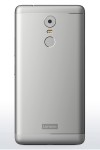
Lenovo's legendary "K" series hardly needs an introduction. If you are looking for good value budget offers in the ranks of the famous Chinese manufacturer, then this is where you will inevitably end up.
With a $200, or so, starting price, the K6 Note definitely has the budget aspect covered. However, serious contenders from the likes of Meizu, Xiaomi and even Samsung at times are constantly battling it out in the $200, or so niche.

Competing means performing a constant balancing act between price, hardware, user needs and preferences. We often praise good value devices, like the OnePlus 3 or ZTE Axon 7 for ticking all the right boxes at $400, or so, entry point.
When you have only half that budget, it is clear that some compromises have to be made when you have only half that budget to work with. That being said, there are a lot of polarizing new aspects in the latest iteration in the long-running "K" family. Some, you might find appealing, then again, others might put you off entirely. But it is undeniable that Lenovo has been working hard on the K formula, constantly mixing it up generation to generation.

Lenovo K6 Note Key features

  • 5.5" IPS LCD display of 1,080 x 1,920px resolution; 401ppi
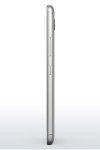
  • Body measuring 151 x 76 x 8.4mm and weighing in at 169g
  • Qualcomm Snapdragon 430 chipset; octa-core 1.4 GHz Cortex-A53; Adreno 505 GPU; 3GB or 4GB of RAM;
  • 32GB of built-in memory; hybrid microSD card slot (up to 256GB)
  • Android 6.0.1 Marshmallow
  • 16MP main camera with PDAF autofocus; dual-tone LED flash
  • 1080p video capture @ 30fps video capture
  • 8MP front-facing camera
  • Rear-mounted fingerprint reader
  • Dual-SIM model available; Cat. 4 LTE support; 802.11 a/g/b/n, dual band Wi-Fi 802.11n; Bluetooth 4.2, A2DP, LE; GPS; FM Radio
  • 4,000mAh battery;

Main shortcomings

  • No added front glass protection is officially noted
  • Only one bottom-mounted speaker, despite Dolby Atmos enhancement
  • No Quick Charge support, even though the chipset should support it
  • Hybrid DualSIM/microSD slot limits options
  • No NFC or 5GHz Wi-Fi connectivity

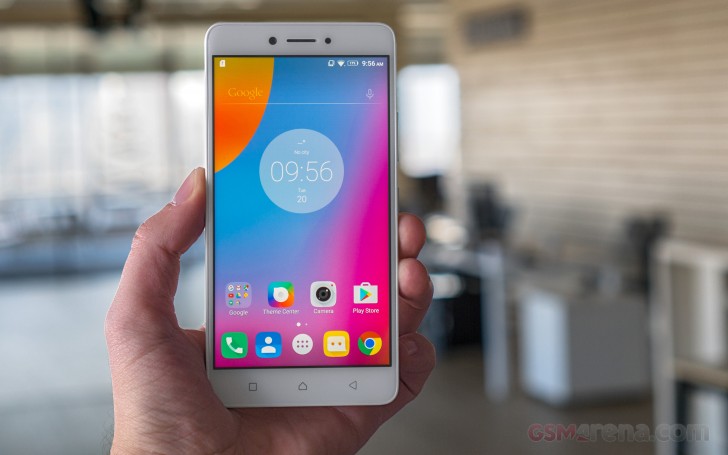
There isn't really any one aspect of the K6 Note that helps it shine amidst the competition. The design is rather mundane, although quite stylish and clean, with a few modern touches here and there. The display has no ambitious aspect to boast, like AMOLED technology, nor does the 16MP main camera. The same goes for the internals - no 14nm efficient chipset in sight and only the bigger than average battery capacity of 4,000mAh really stands out.
Lenovo is trying to market the K6 Note for its enhanced multimedia capabilities, including an interesting take on Google Cardboard-style VR, with Lenovo's ANT VR viewer. In the words of Sudhin Mathur, Executive Director, Lenovo Mobile Business Group, India at the device's local launch:
We will definitely look into those claims, but without any particular hardware to back the software features, they mostly come off as marketing talk.
So, it is clear that the Lenovo K6 Note is no showboat in any apparent shape or form. However, it's still a well-rounded budget device.
Read More

Asus ZenPad 3S 10 Review


Introduction


Asus ZenPad 3S 10 ReviewWith tablets, there are usually two main use cases that their makers shoot for – productivity and entertainment. In order for a tablet to be a respectable tool for getting work done, it needs to have solid horsepower, intuitive software features, and first-party accessories that help you be as productive as possible. On the other hand, an entertainment-centric tablet needs to offer a gorgeous display, solid audio setup, and long-lasting battery life.

Tablets like Apple’s iPad Pro offer the best of both worlds for both productivity and entertainment, but with a starting price of $599 for the 9.7-inch model, it’s far from affordable. Asus’s latest tablet, the ZenPad 3S 10, aims to offer a solid tablet for both productivity and entertainment, but at a fraction of the cost of the iPad.

On paper, the $300 ZenPad 3S 10 sure does have the makings of a solid 10-inch tablet. Its aluminum body, 2K display, beefy processing internals, and 5,900 mAh battery are all steps in the right direction for the makings of a tablet worth buying, but does everything come into fruition the way that Asus is hoping? Or did the company reach too high with this one?

Let’s find out.

In the box:

  • Asus ZenPad 3S 10
  • USB Type-C cable
  • AC power adapter
  • Cardboard stand that took me ONE WEEK TO FIGURE OUT HOW TO OPEN IT
  • Warranty card
  • User guide
  • MicroSD tray removal tool

Design


Asus ZenPad 3S 10 Review

When it comes to the design of the ZenPad 3S 10, Asus did a phenomenal job at making the tablet look and feel much more premium than its asking price would suggest. The tablet’s body is made entirely out of aluminum with no trace of plastic in sight, and Asus paid attention to all of the fine details with this one.

The back of the ZenPad 3S 10 showcases a grey aluminum slab that’s surprisingly soft and smooth to the touch. The rear camera is housed in the upper left-hand corner, and silver Asus branding is located smack-dab in the middle. The rounded corners help to ensure that the tablet doesn’t dig into your hands while holding it, and the sandblasted chassis offer a nice bit of shine to further highlight the attention to detail that’s present with the overall design. 

Asus ZenPad 3S 10 ReviewThe front of the tablet is where the 9.7-inch display lives, and Asus was able to achieve an impressive 78-percent screen-to-body ratio to make viewing your content as enjoyable as possible. As you’d expect, the top and bottom bezels are the largest, but that bottom bezel is housing a nice bonus you probably wouldn’t expect to see in this price range – a fingerprint scanner. The fingerprint scanner Asus is using also doubles as a home button, and when comparing it to Touch ID on my iPhone 7, the ZenPad 3S 10 was able to scan my fingerprint and boot me to my 
home-screen right in line with the speed I got from the iPhone – which is to say extremely fast. Capacitive back and multitasking buttons live on either side of the home button, and while I usually prefer on-screen navigation buttons on a tablet of this size, I was more than willing to put up with capacitive ones if it meant getting a fingerprint scanner of this quality.

The right-hand side of the ZenPad 3S 10 is home to the power/lock button and volume rocker, and while their aluminum build is a nice touch, I’m not the biggest fan of how they actually feel to press. The volume rocker feels nice and clicky, but the power button felt a bit mushy. Sometimes I would find myself having to press the power button twice to get the tablet to turn on, and while this isn’t necessarily a deal-breaker, it did prove to be a bit of an annoyance.
Asus ZenPad 3S 10 Review
My other gripe with the ZenPad 3S 10’s design lies with the microSD card tray. Pressing on it shows that it has quite a bit of give, and shaking the tablet causes it to rattle around. This didn’t effect performance of the slot, but again, it gets old after a while.

Aside from those two minor gripes though, Asus really did a fantastic job with the design and build of the ZenPad 3S 10. Its 5.8-millimeter profile means that its even thinner than the 9.7-inch iPad Pro, and it also weighs less at 430-grams as opposed to 437-grams.

Read More

Xiaomi doesn't share 2016 sales numbers after missing last year's target

Xiaomi CEO Lei Jun

Xiaomi, currently one of the top Chinese smartphone makers, traditionally shares its device sales numbers at the end of the year, but has now decided to omit such information for 2016, with CEO Lei Jun admitting the company moved “too fast” in its expansion. This comes as no surprise after the company's failure to meet last year's shipment target, along with the relative stagnation of its growth in the past 24 months. Last year was not particularly kind to the company, with its market share plummeting to the fourth place in its home country, where it held the crown just a few years back.

Historically, the company has a track record of explosive growth in terms of both popularity and sales, particularly during the 2012-2014 period. 2015, however, saw the company increase its sales by just 14.5 percent, as opposed to the more than 200 percent it achieved the year before. This trend appears to have continued in 2016, which isn't particularly surprising, seeing as the global smartphone market hasn't been experiencing much growth lately, while the company's competitors, particularly Vivo and Oppo, have been steadily increasing their market share in China.

For 2017, the company has expressed interest in moving beyond being just a smartphone vendor, with particular focus put on developing artificial intelligence and providing an internet banking platform. The company also plans to open a number of new offline retail locations, claiming it's “not satisfied with just being an e-commerce smartphone brand”. Shaking up its revenue model looks like the right move, as the company has recently stated that its smartphone sales are unprofitable, and as a result it has to rely solely on side ventures, such as its internet services and Mi ecosystem of smart devices. This shift in focus, unfortunately, has resulted in the company's decision not to enter the US smartphone market this year, which is sad news for fans of the futuristic Mi Mix, which is unlikely to get an official stateside release.
Read More

OnePlus 3T Review

OnePlus 3T Review

Introduction


The OnePlus 3T comes just five months after the launch of the OnePlus 3. Why so soon?

Simple: OnePlus got the newer and more powerful Snapdragon 821 system chip and heard users' complaints about the not-so-great battery life on the OnePlus 3, and it took the opportunity to improve on these two key aspects of the experience.

Along with those improvements, it increased the price: the OnePlus 3T 64GB model costs $440, $40 more than the OnePlus 3 with the same amount of storage. There is also a new, 128 gig option for the OnePlus 3T for $480. Yes, this is slightly more expensive than before, but when you compare it to phones with similar hardware and screen size like the Google Pixel XL, the OnePlus 3T is still nearly half their price.

Specs, however, don’t tell us much about the actual experience of using the OnePlus 3T: that’s why we’ve been using the phone over the past week to tell you how good of a device it is. Join us below for the full OnePlus 3T review.

Design

OnePlus 3T ReviewOnePlus 3T Review
OnePlus 3T Review

In terms of its physical design, the OnePlus 3T is the exact same phone as the OnePlus 3: same form, same thickness, all to a degree that guarantees that OnePlus 3 cases fit the 3T perfectly.

There is one thing changed in the outwards appearance, though, and that is color: the new 3T features a darker, ‘gunmetal’ grey that looks great. The old light silver shade of the OnePlus 3 is no longer available. There is also a second, soft gold color option, but that one is only available on the 64GB OnePlus 3T and is in very limited supply.

Just like the OnePlus 3, the 3T comes with a pre-applied screen protector right out of the box: and just like before it’s a little too narrow, not covering the full width of the screen, and when you use it you constantly feel its sharp edge interfere with the otherwise smooth glass surface. Yes, this is a minor thing, but you can’t help but notice it. OnePlus is also selling a better, full-width $20 screen protector on its official website, and we recommend considering buying one.

Then, there is the mute switch. It’s an extremely convenient little thing that we’ve come to appreciate more and more. We wish more phones had it.

Along with the launch of the 3T, the company also brings an optional, separately purchased new case: an ebony wood option that looks great. This brings it to a total of six cases made by OnePlus itself: there’s the signature sandstone one, a bamboo one, a karbon one, as well as a few wooden cases. While they are not meant to protect from heavy drops, they do an excellent job at being light and stylish, as well as protecting from scratches.
Read More

Apple iPhone 7 Plus vs LG V20

Apple iPhone 7 Plus vs LG V20

Introduction


In the battle for the best big phone, the Apple iPhone 7 Plus is one device that you cannot overlook.

Apple’s iPhone is not only the single best-selling phone out there, it also features one of the most powerful chips ever on a phone, has for a long while been a trend-setter for mobile photography, and – apart from the now dead Nexus series – seems to be the only phone that gets latest updates to its platform quickly and reliably.

This year, we see some Android manufacturers stepping up their game when it comes to software currency as well: the LG V20 is a big, 5.7-inch phone that in many ways rivals the iPhone 7 Plus, and – notably – it even comes with the latest version of Android, 7.0 Nougat, right out of the gate.

Both featuring dual rear shooters, the two phones have high aspirations as cameras, as well as creativity and productivity machines. But it’s the little differences and nuances that really make each one of them stand out: the V20 with its hi-res audio aspirations and secondary screen will appeal to a certain niche of power users, while the 7 Plus has a more mainstream appeal. Let’s dive in the details to learn the whole story about these two.

Design


Apple iPhone 7 Plus vs LG V20

Both the Apple iPhone 7 Plus and LG V20 are made of metal, but while the iPhone 7 Plus has a holistic metal construction, the V20 has a large metal back cover with plastic strips on the top and the bottom. And while both feel solidly put together, the iPhone is the one with the more refined design with less seams and more elegant curves, while the V20 feels more like separate pieces put together rather than one inherent whole.

When speaking about big phones, or phablets, there are some with more manageable sizes and some truly gigantic ones. While the iPhone 7 Plus is one of the largest 5.5-inch phones out there, the LG V20 goes with an even larger, 5.7-inch display and ends up having an even bigger physical footprint than the iPhone. It’s taller, slightly wider and a hair thicker, slight differences that when considered all together are noticeable. Despite its smaller size, though, the iPhone is the heavier of these two rather weighty phones, and this heft is definitely an inconvenience if you walk with your phone in your pocket a lot.


Apple iPhone 7 Plus vs LG V20

Looking at the details around the body of the two phones, the LG V20 has an interesting button on the side. It has one sole function: press it to pop up the back cover and get easy access to the removable battery. Not everyone needs that, but with all the recent stories about exploding phones and fires, it’s nice to be able to simply remove the battery, or swap it on the go for an emergency battery boost. The V20 has its volume buttons on the side, but it keeps the power key on its back. The round home button actually clicks and also doubles as a fingerprint scanner (just a tap is required for a fingerprint reading) that works quickly and reliably. And yes, there are two rear cameras on the V20, but more on that later, in the camera section.


On the iPhone 7 Plus side, you have the familiar iPhone design with two important changes. The home key is no longer a physical button: nope, it does not physically travel and that clicking sensation you get when pressing it comes from the Taptic Engine, the vibration motor inside the iPhone. Is the feeling the same as pressing an actual physical key? Not really. Can you get used to it, though? We know we did easily enough to not consider it a problem, but not an improvement either. Then, there is the no-3.5mm jack situation: put simply, if you use the 3.5mm jack a lot, you’re clearly going to miss it, and the fact that there is a 3.5mm adapter in the box with the iPhone is a work-around, but not a remedy.

Apple iPhone 7 Plus vs LG V20


There is one key new feature on the iPhone 7 Plus that is nowhere to be found on the LG V20: water-resistance. The 7 Plus is IP67-certified, meaning that it can be submerged in water up to 1 meter (3.3 feet) deep for as long as 30 minutes without sustaining any damage. The feature is there to protect the phone in case you accidentally drop it in water or leave it out in the rain for a short while, but it’s not officially meant as an excuse for you to film under water and take it on your surfing trips.


Read More

HTC Desire 10 Lifestyle Review

HTC Desire 10 Lifestyle Review

Introduction


The HTC Desire 10 Lifestyle is a mid-range Android smartphone that's not for everyone. While it does have its pros, there are more than enough cons to weigh it down.

The handset isn't available in the US, but European customers can get it for around $300, which makes it a bit more expensive than most of its competitors. We'll let you decide for yourself if the price is worth it. So, let's get straight into it, shall we?

In the box:


HTC DESIRE 10 LIFESTYLE


OS: Android 6.0 

Display5.5 inches, 720 x 1280 pixels (267 ppi) S-LCD
Camera13 megapixels
Hardware
Qualcomm Snapdragon 400, Quad-core, 1600 MHz, ARM Cortex-A7 processor
3 GB RAM
Size6.18 x 3.03 x 0.30 inches
(156.9 x 76.9 x 7.7 mm)
5.47 oz  (155 g)

Design


HTC Desire 10 Lifestyle ReviewThe HTC Desire 10 Lifestyle comes in four color variants – Polar White, Stone Black, Royal Blue and Valentine Lux (a gentle light blue). We have the Stone Black up for review, and we have to admit it looks pretty good.

The device features some gold-coloured accents on top of its all-plastic design, which really make it stand out. We would prefer metal or glass, but the price sort of justifies the materials. 

And despite the all-plastic design and bigger form factor, the phone feels pretty good in the hand. It doesn't slip and slide anywhere, and it feels sort of natural to hold. The physical power button on the side has a nice clicky feel to it that provides more than enough tactile feedback without being too flimsy.

The top and bottom bezels around the 5.5” screen could use a bit of trimming, but they're not that big either. Especially considering that the bottom one houses three capacitive touch buttons.

The volume rockers on the right side of the handset feel a little awkward to use. They're way too flat and, unlike the power button directly below them, don't provide much feedback when pressed. But with enough time to get used to them, they could be deemed as passable.

The left side of the device houses the two Nano SIM slots and a microSD slot for storage expansion. According to the official specifications, it should be able to handle a microSD card with up to 2 TB of capacity.

The bottom side of the phone holds the wrist strap hook, micro USB port and the handset's speakers, while the top only has a 3.5 mm port.
Read More

Huawei MediaPad M3 Review

Huawei MediaPad M3 Review

Introduction


Huawei MediaPad M3 Review
Although tablets may not have had that big of a year in 2016 when compared to years past, plenty of really solid options were still released. Apple introduced a 9.7-inch model of the iPad Pro, Amazon refreshed the Fire HD 8, and Asus kicked out some incredibly solid products with the ZenPad Z8 and 3S 10. The hype and craze for tablets has been on a rather steady decline for some time now, but as you can see, that hasn’t stopped numerous manufacturers from continuing to offer great choices if you want a 7, 8, or 10-inch slate for consuming media and even getting some productivity work done.
Among these manufacturers is Huawei. The company released the MediaPad M3 in the United States back in November of this year, and it’s a sign of much more to come with Huawei’s big plans to push into the US market even more come 2017. The Huawei brand is still relatively unknown to most people throughout the US, and Huawei is hoping to start to change that with the M3. 

The MediaPad M3 is all about style, power, and value. Huawei has crafted an incredibly good-looking 8-inch tablet with the M3, and almost all of its specs are quite high-end as well. Numerous outlets are calling the M3 the best Android alternative to Apple’s iPad Mini 4, and while there’s no doubt that the MediaPad M3 looks promising on paper, does it truly live up to those claims?

Let’s find out.

In the box:


HUAWEI MEDIAPAD M3

OS: Android 6.0
Display8.4 inches, 1600 x 2560 pixels (359 ppi) IPS LCD
Camera8 megapixels
Hardware
HiSilicon, Octa-core, 2300 MHz, ARM Cortex-A72 and AMR Cortex-A53 processor
4 GB RAM
Size8.48 x 4.89 x 0.29 inches
(215.5 x 124.2 x 7.3 mm)
10.93 oz  (310 g)

Design


Huawei MediaPad M3 ReviewHuawei MediaPad M3 Review
Huawei MediaPad M3 Review

The tablet features an 8.4-inch display, and Huawei decided to stick with a 16:9 aspect ratio. While this does make the MediaPad M3 a bit taller than some of its competitors, it also makes it considerably narrower. It’s quite possible to grip the entirety of the M3 in one hand, and while you certainly won’t be able to use the device one-handed, it’s a testament to Huawei’s ability to cram so much power and tech into a rather compact design.

Speaking of its compact design, the M3 measures in at just 7.3mm thick and features a weight of 310g. This means that the MediaPad M3 is a bit thicker and heavier than the iPad Mini 4 (6.1mm thickness and 298.8g weight), and it results in a gadget that’s still incredibly thin and is light enough to where it won’t wear your hand down but also doesn’t feel cheaply-made.
In fact, the phrase “cheaply made” isn’t even remotely associated with the M3. The tablet is crafted out of aluminum and glass, making for a product that feels premium and high-end. The back of the M3 is about 95-percent aluminum with a strip of glass across the top where the rear-facing camera lies. This creates for a look that’s somewhat reminiscent to that of the Nexus 6P, and it’s one that I hope Huawei sticks to for some time. 

The physical power/lock button and volume rocker are also made out of that same aluminum material, and while it certainly is a nice touch and keeps the M3 looking as sleek as possible, the actual clicky-ness leaves a bit to be desired. I never had any issues getting the buttons to do what I commanded of them, but I would have liked to see a bit more tactical response. 

On-screen navigation buttons are used on the M3, but below the screen is where the tablet’s fingerprint sensor lives. Setting up the scanner upon first use was a very speedy process, and I never experienced any issues while using the scanner to unlock the tablet while testing it out. It’s very fast and accurate, and it really is a great addition to have.

And, last but not least, a small LED notification light lives to the left of the front-facing camera. The light flashes when a new notification has arrived on the M3, and seeing as how this is a feature that’s becoming increasingly rare on tablets and smartphones, I really enjoyed its presence on the MediaPad.


Display


As I already mentioned above, the MediaMad M3 features an 8.4-inch display with an aspect ratio of 16:9. The 4:3 ratio is arguably better for tasks such as browsing the web and reading e-books, but the 16:9 one here on the M3 is still supreme for doing things like watching videos and playing some games. 

Huawei used an IPS LCD panel for the M3’s display, and it boasts an impressive resolution of 2560 x 1600. This creates for a count of 359 pixels-per-inch, and overall, I really don’t have any qualms with how the screen on the M3 looks. Colors are nice and vibrant, text is crisp, and whites are extremely stark. My only real complaint would be that the screen doesn’t get quite as bright as I would have liked, but seeing as how this is something you’re going to be using indoors the majority of the time, it shouldn’t prove to be that big of an issue.
Read More